
My Coach Solutions Support
  • Home
  • Knowledge base
  • Questions and Answers
  • Contact
Select Page

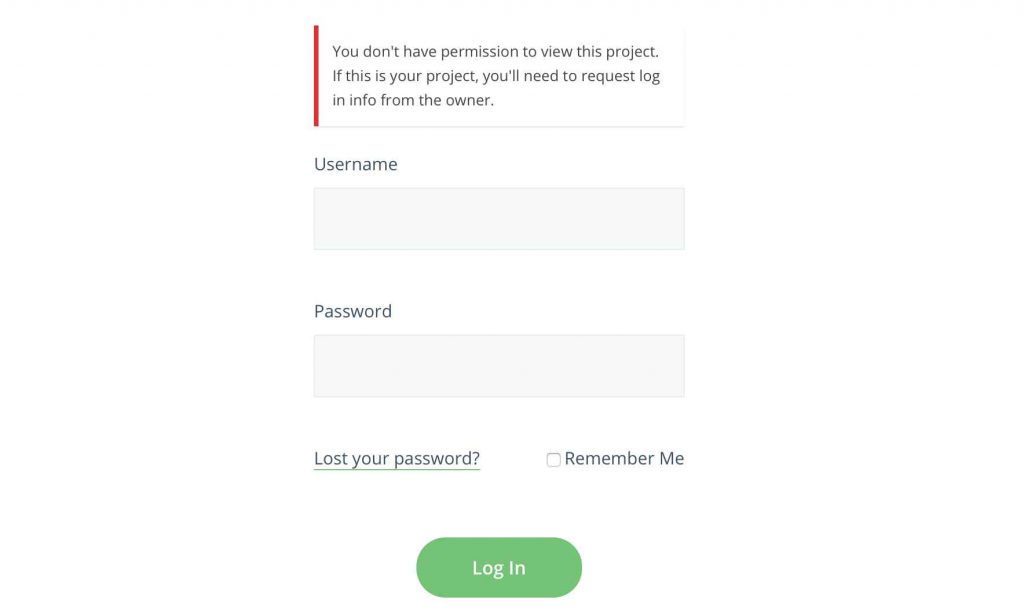
Why Am I Getting This Error? “You don’t have permission to view this project.”

Posted by Insparket on September 4, 2019


If you are seeing the above error, it can mean one of two things.

First, if you are trying to log into your admin area, you need to make sure that the url in you address bar contains /wp-admin/ at the end of it. The above login form is for your clients, not for admins.

Second, if your client is seeing this error, you may have forgotten to assign the portal to the client. Go back to your portal editor, scroll down to Client Accounts, and assign the portal to the appropriate client(s).
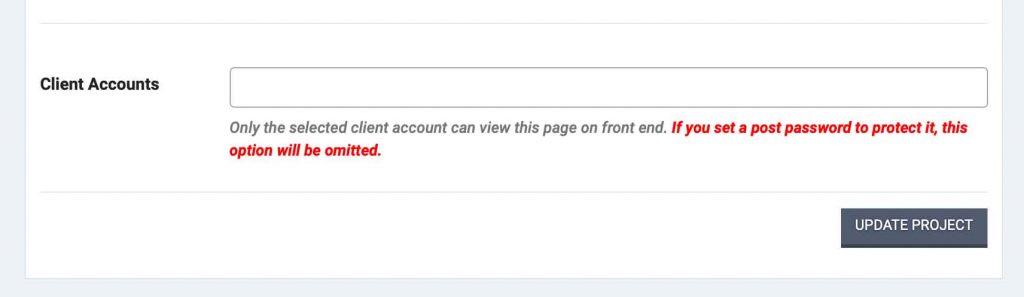
Once you’ve assigned the portal to your client, they will be able to log in without seeing the error.

  • Tags
  • client login,
  • permissioin
337 views
0 0
You already voted this article!
Related Articles
  • Accessing Your Website Settings for the First Time
    52 views
  • Adding a Text Section and Module to Any Page
    321 views
  • How to Add a Pricing Table to Your Website
    422 views
  • Signing Up for MyCoachSite
    958 views
  • Make Your Text Pop With Gradients
    329 views

Recent Posts

  • The Welcome Packet Blues
  • Getting Started
  • MyCoachPortal
  • MyCoachSite
  • Troubleshooting
  • Video Tutorials

© My Coaching Portal. All righs reserved. | Site by Insparket Media.